
iPhone 0xE8000023 iTunes error – Work Around
18 September 2007
2 Comments
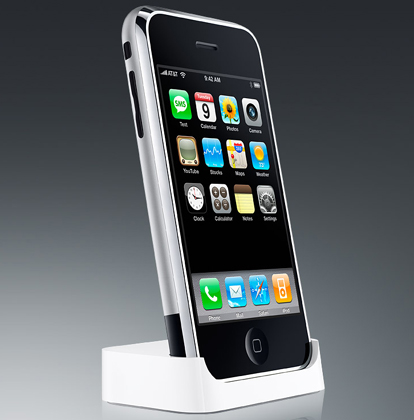 0xE8000023 error really did trouble me.It is the error message which iTunes report of while trying to sync your phone. At one point I convinced myself that I bricked my device but somewhere in my mind, I had a feeling that I could overcome it. After hours of restarting my phone and trying to sync the iPhone with iTunes with the sync cable, I thought going to an Apple store will be my last resort. Then I came home, tried one last time with the dock this time and Voilaaaa, it worked!! So, the workaround is syncing the iPhone with the bundled iPhone Dock!!


Thank you, thank you, thank you! I’ve been messing around with my Mac and iPhone for 3 days now. I also thought I bricked my phone. But using the dock solved my problem! Everything’s up to date and synced. I’m using the dock from now on!
I am having the same problem but with my iPod Touch. I’m a little slow with my new computer. What do you mean by using the dock.
Leave your response!
You must be logged in to post a comment.
Blogroll
Meta