The Dev Team did it yet again! The cat and mouse game is on! All iPhone 3G owners (no matter what firmware you have) can now unlock their devices!
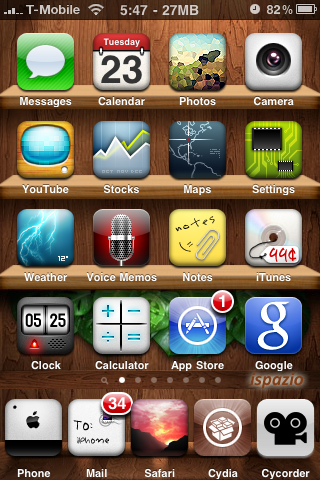
Lets get started with a step by step guide (It will be a short one this time around!)
1) Update your iPhone 3G to 3.0 . You have two options here :
- redsn0w (DIY Quick!)
- Pwnage Tool (Download the Custom Firmware 3.0 if you want to Jailbreak directly without messing with other tools)
2) Now that you performed the Jailbreak steps necessary in Step 1, all you have to do is pop in your SIM card(be it T-Mobile or any other GSM carrier).
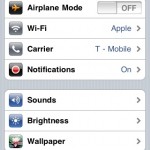
- Turn WiFi ‘On’ on your iPhone 3G and connect to a Wireless Access point (WiFi). (Create an AdHoc WiFi Access point if there is no WiFi access)
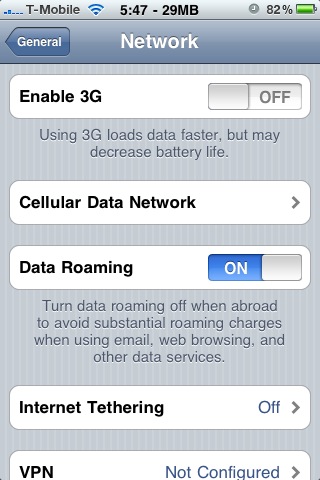
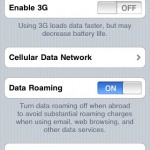
- Disable 3G on your iPhone if you are on an unsupported frequency (T-Mobile). Other carriers, try disabling and then enable once unlocked!
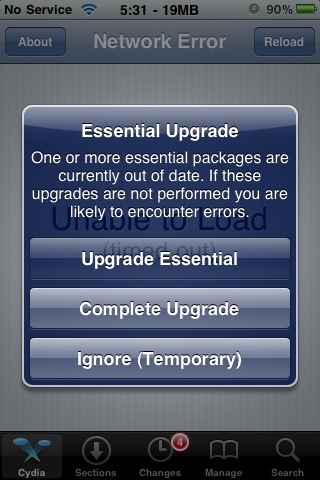
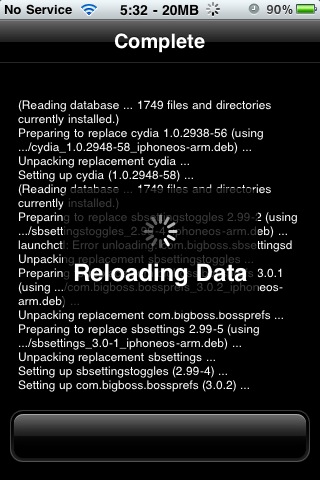
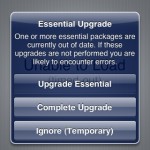
- Launch Cydia on your iPhone 3G and download the necessary upgrades if prompted and hit ‘Restart Springboard’ when done.
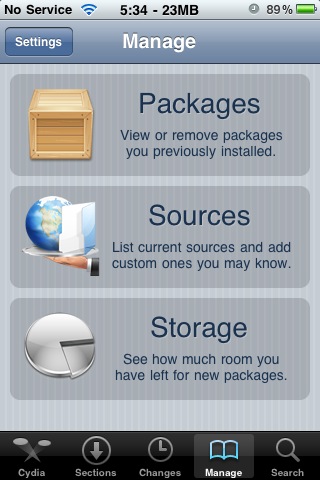
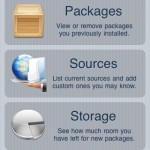
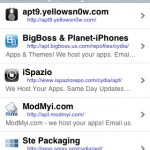
- Tap on ‘Manage’ at the bottom and choose ‘Sources’. Now hit the Edit button at the top right corner and now hit the Add button.
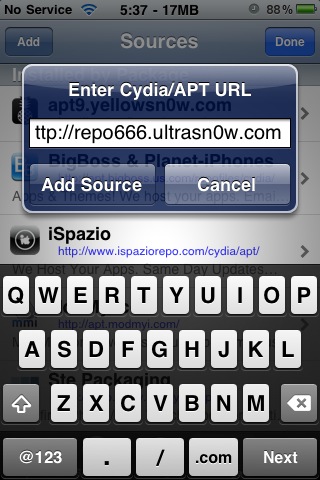
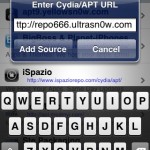
- Enter repo666.ultrasn0w.com when prompted with ‘Enter Cydia/APT URL’ dialog and hit the ‘Add Source’ button.
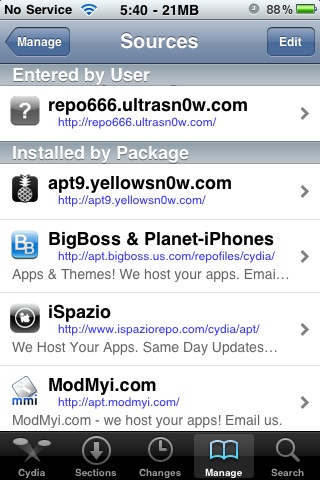
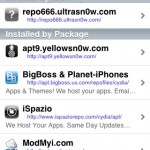
- Once it refreshes, return to Cydia and hit the ‘Done’ button and tap the top most entry shown.
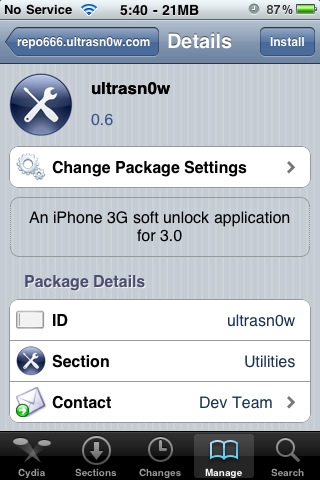
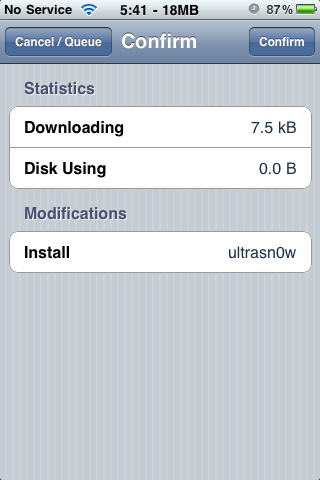
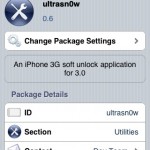
- Now tap Ultrasn0w -> choose the install button and Confirm. Now return to the main menu in Cydia.
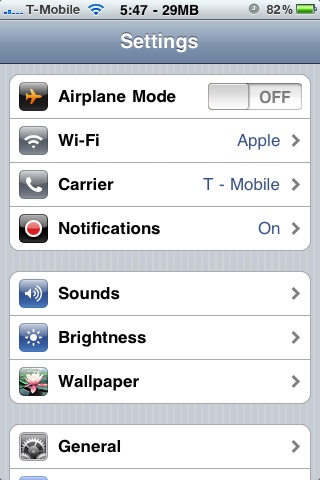
- Restart your iPhone and boom, you should see your carrier signal!


You can jailbreak but not unlock unfortunately. Try 3.1 instead of 3.0. Look for newer post (3.1) on this site.
Hi!! thanks for the help, i was able to jailbreak my iphone 3G 3.1 using you tutorial and it worked!!!
my hope was to unlock it too, so i used used ultrasn0w via cydia, the new Tmobile sim seems to work but the WIFI wont work..
I am currently using iphone 3gs 3.1.2
and i have tried this method several times but it isnt working , all it does is keep searching for a long long time, afterwards it says "no signal"
PLEASE HELP
What is the baseband version (settings -> General -> About)?
Did you turn 3G off, did you also reboot your iPhone?
I am using iPhone 3GS 3.1.2 and I just unlocked the phone using this method. I don't see any carrier signal. It just says searching…
Here are some details that might help.
Version 3.1.2(7D11)
Modem FW 05.11.07
Model MC131B
Please help
Can you please tell me how can I get the phone working? Should I go back to 3.0 or something?
I did not understand what you mean by follow the links for 3.1.2 firmware. Can you please post some helpful links? Thanks a lot in advance
http://ilikemyiphone.com/wordpress/2009/10/13/download-…
Hi Guys!! thank you so much for this post. I did the jailbrake using the not activated firmaware for an iphone 3gs. It worked just fine, but now i dont have 3g signal and it doesnt show the carrier name on the left upper corner. I can make calls, but thats it ¿Am I missing something? I already did the unlonck with ultrasn0w but it remains the same… I could use some tips…. Thx
Use 'Make it mine' from Cydia for the carrier. It is a known bug!
I got a new iPhone 3GS with 3.1.2 firmware already on it. I haev been trying to unlock the same and used the exact procedure listed above but am unable to unlock the phone. There is no error at any step but the phone is not able to connect to my carrier when i put my SIM – it keeps saying "Searching…". Please help!
hi i use version 3.1.2(7D11) modem firmware 05.11.07 this iphone is lock with optus i need free software for unlock
thank
I have a 2g iphone with os 3.1.2, modem software 04.05.04_g. This phone has been jailbroken and unlocked. Cydia is installed. Ultrasn0w is installed. But whenever I put my go phone sim chip in it says that a different sim detected and to connect to itunes… I have tried jailbreaking with redsnow 2 times now and still get the same problem. It worked before the upgrade to 3.1.2 but now can't get it to activate no matter what. If there is no sim installed it works great as an ipod touch, but really miss using it as my primary phone. So how do I hactivate it gophone sim chip?
Hi, I upgraded my iphone 3G to 3.1.2 using your custom fw
(http://ilikemyiphone.com/wordpress/2009/10/13/download-…
but I still can't unlock it with cydia following your above procedure. I've create adhoc wifi with my laptop and my iphone detected the wifi connection. but it couldn't connect to internet, both by browsing safari and cydia.
can u help me? my baseband is 02.30.03
Thanks for your reply. can u describe the step by step process of doing this and where to get Apple's official 3.0 firmware?
Look for official firmware links in downloads section…
Downloaded apple's official fw 3.0, then what should I do next? Can I just restore my iPhone using iTunes shift+restore with this fw 3.0? Thanks
Yes sir! Use shift restore…
Sorry, do I have to set my iPhone to recovery or DFU mode before restoring or just normal mode?
Done restoring to 3.0 n jailbreaking it. tomorrow will restore it to 3.1.2 will update it here. Thanks
Good job! Let me know if you need any more help!
restored and unlocked to 3.1.2. thanks guys for the help!
Not a problem 🙂 You have fun now!
Hi,
I just follow the instruction and install the 3.1.2 firmware. It restart fine and I went ahead and installed the Ultrasn0w and follow the instruction. Now the phone shows "No Service" and I can't make any call. I noticed that my Version is been upgraded to 3.1.2 (7D11) but my Modem Firmware remains 02.28.00. Can anyone help me to resolve this problem?
Thanks
The baseband needs to be updated to 4.26 for ultrasn0w to work. Search for fuzzyband in Cydia to update baseband to 4.26.. It should work..
i had restored my iphone 3G firmware 3.1.2 and i installed ultrasn0w but it tells searching….
and when i go to carrier it says unable to load network list
please help me out from this
my sim card is not detected after the restore
have windows XP
im from india
What is the modem firmware version (baseband) found in settings? Is it 4.26.08 or 5.11.07?
I have used ultrasn0w verson1.2 to unlock my 3G, v4.1. And my firmware version is 5.14. Somehow it still says "no service." I am in China. Help!