iPhone 2G, 3G, 3GS users can now safely update to 3.1.2 firmware without updating the baseband (for unlock). If you are not the one to download all the various files and just want the ultimate result, these files are waiting for you to download! If you rather want to start from scratch, download Pwnage 3.1.4 tool for Mac.
- Caution #1 : A restore is going to wipe the iPhone clean. Hence, please backup your iPhone using iTunes and then proceed.
More info about these custom firmware files :
- Has factory boot logos (Apple and restore cable),
- Only Cydia, No Icy
- Preserved Unlock baseband (that is the whole point of a custom firmware, right?!)
- Activated/Not Activated (Check the files carefully)
Prerequisite (recommended) :
If your iPhone is already jailbroken at the current firmware (3.0, 3.0.1, 3.1), it will be a hassle free upgrade! Restore mode will work just fine with already jailbroken iPhones.
p.s : I am paying for these downloads (purchased RapidShare Download traffic due to overwhelming demand). Please consider donating to keep these downloads free and instantaneous. Thank you…
- Download the following files ONLY if you have an Official iPhone contract with your cell carrier (ATT and others….)
- iPhone 3GS 3.1.2 Custom Firmware Not Activated Official Carriers Part 1
- iPhone 3GS 3.1.2 Custom Firmware Not Activated Official Carriers Part 2
OR
- Download the following files ONLY if you don’t have an iPhone contract (T-Mobile and others…)
- iPhone 3GS 3.1.2 Custom Firmware Activated for Other Carriers Part 1
- iPhone 3GS 3.1.2 Custom Firmware Activated for Other Carriers Part 2
- Download the following files ONLY if you have an Official iPhone contract with your cell carrier (ATT and others….)
- iPhone 3G 3.1.2 Custom Firmware Not Activated Official Carriers Part 1
- iPhone 3G 3.1.2 Custom Firmware Not Activated Official Carriers Part 2
OR
- Download the following files ONLY if you don’t have an iPhone contract (T-Mobile and others…)
- iPhone 3G 3.1.2 Custom Firmware Activated for Other Carriers Part 1
- iPhone 3G 3.1.2 Custom Firmware Activated for Other Carriers Part 2
- Download the following files ONLY if you have an Official iPhone contract with your cell carrier (ATT and others….)
- iPhone 2G 3.1.2 Custom Firmware Not Activated Official Carriers Part 1
- iPhone 2G 3.1.2 Custom Firmware Not Activated Official Carriers Part 2
OR
- Download the following files ONLY if you don’t have an iPhone contract (T-Mobile and others…)
- iPhone 2G 3.1.2 Custom Firmware Activated for Other Carriers Part 1
- iPhone 2G 3.1.2 Custom Firmware Activated for Other Carriers Part 2
Step 2) Join the downloaded files
- The files downloaded above have an extension .001 and .002. They need a special opensource (free) software HJSplit to join.
- Download HJSplit to join both the files – Link for Windows Computers here and Macs here.
Step 3) Restore the firmware in iTunes 9.x
- You should now have the respective firmware file with an extension .ipsw (make sure it is .ipsw or else, it will give you an invalid firmware error) . Follow the steps in order :
- 1)Launch iTunes and connect the iPhone to your Mac / Windows computer.
- 2)If your iPhone is already jailbroken (if you see Cydia on your iPhone!), put your device in Restore mode (Turn iPhone off, keep holding Home button while you plug it in to your computer). Proceed to step 7. If not jailbroken already, continue to the next step (3).
- 3)If you are aware of DFU mode, proceed further. If not, watch this quick video and pay close attention to the steps to achieve DFU mode.
- 4)Turn your iPhone off. Press and hold the Home button and the Power button at the same time for 10 seconds.
- 5)After exactly 10 seconds release the Power button. Continue holding the Home button until iTunes pops up a message saying that it has detected an iPhone in recovery mode.
- 6)The iPhone will show you a blank screen (black).
- 7)Click on ‘Ok’ to the prompt displayed.
- 8)For a Mac : Hold Option key and then hit Restore button.
- 9)For Windows : Hold the shift key and then hit the restore button.
- 10)In the dialog box that pops up, browse the downloaded custom firmware file (the .ipsw file that you downloaded and joined using hjsplit in step 1.x).
Step 4) Give it few minutes to perform the restore. Once the iPhone is up and running, proceed for software Unlock using Cydia. Follow this guide to install Ultrasn0w to software unlock your iPhone 3G/3GS. iPhone 2G is already unlocked with this custom firmware!
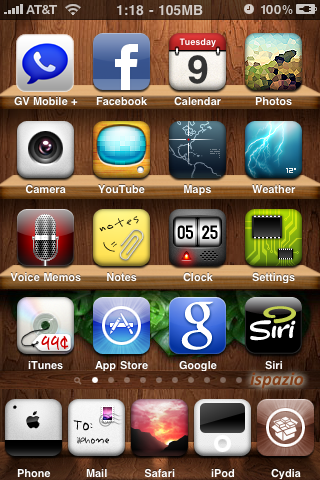
You are now good to go! Post a comment if you are stuck at any of the steps described above.
[Pwnage Tool is developed by the Dev Team. This is just a custom firmware file created using that tool especially for Windows users cos’ Pwnage tool is available only for Macs.]
I did it on my unlocked 3G 3.0 and it works perfect.
I have a question, is the process the same if my iphone 3g(unlocked&jailbroken) is at fw. 2.1.1?
It depends on the baseband. If the baseband is 4.26 then you may use this process. If any other, then you may want to get 3.0 stock firmware and then this process.
I don't drink beer but thanks a lot for the donation Rich! I am glad I was able to help!
Thanks for that. Am I right in thinking that your suggestion is to restore as normal through I tunes WITHOUT holding down the shift key, Then in order to jailbreak use blackrain. My phone model no is87925ck03ns and was purchased last July. Does that mean that blackrain works normally for the jailbreak and running the battery flat wont cause problems. I tend to switch the phone off every night to save battery and don’t want to be messing around each day cos of the jailbreak.
You can take my word for that sir!Your iPhone definitely has old bootrom (based on serial number). blackra1n should jailbreak it just fine.p.s : Never give out the full serial number. Just the first 5 letters should be enough.
Oh well here goes. Thanks for your help again. Will donate when completedrichard
i have Firmware iPhone OS 3.0 Build 7A341 and i need 3.1.2
Thanks Richard!
Thanks again for your help. Latest BB /BlackRa1n and tethering all set up. Dont know why I bother with forums, you have helped me twice now in the last few months within hours of asking. Have a beer on me
Richard Harrison
This is the right firmware to download. Download Activated or NotActivated based on your needs..
i restore my iphone 3GS using 3.2.1 not activated firmware. then i looked into cydia (no icy) the sources is not existed. i tried to use redsnow to jailbreak it but when i do browse and select the right firmware that i used before to restore, it was unable to recognize the specified IPSW….what should i do?…..
I didn't understand the Cydia source not exist part. Did you see Cydia? If yes, connect to WiFi and launch Cydia, let it update.
yes i see cydia but the contents in sources is not exist. i see empty page.
Thats strange. What happens when you connect to WiFi and refresh Cydia?
THANKS!!! I was running a 3gs jb/unlocked on 3.0.1 and 04.26.08 with Tmobile. It worked seamlessly and kept cydia in tact. just ran the unlock and was up and running. Even the Tmobile provider is showing (some people said they lost this feature). Primo!
You are welcome!
Good job!
my iphone is 3G 3.1.2 has no jailbreak but i restore 3.1.2 custom firmware with itune 8.2 i can't restore firmware please hlep me
Update to the latest version of iTunes, it just works. If your iPhone was never jailbroken before, put it in DFU mode. Please look at videos …
Read Step 3
i have a 3gs with 3.1.2 firmware and most likely the new bootrom. i jailbroke it with blackra1n. i'm tryiing to install this custom firmware but i keep getting the error 1604. i've tried all the suggestions and both on windows xp/vista. is this due to the new bootrom and the new baseband on this iphone.
i'm trying to install the custom firmware in hopes of being able to reboot without having to connect to the laptop because of the blackra1n jailbreak. any suggestions if the custom firmware will fix this problem?
If you jailbroke your iPhone using blackra1n, then you don't need custom firmware. Custom firmware is to prevent baseband from upgrading. If you have 5.11 baseband, you are all set with blackra1n. Just install Cydia and sn0w from blackra1n app on your iPhone.
i have a 3gs with 3.1.2 firmware and most likely the new bootrom. i jailbroke it with blackra1n. i'm tryiing to install this custom firmware but i keep getting the error 1604. i've tried all the suggestions and both on windows xp/vista. is this due to the new bootrom and the new baseband on this iphone.
Already answered this query!
i meant am i still getting the error 1604 cause of the new bootrom
All you have to do is : Restore to a clean 3.1.2 from itunes (Not custom firmware but actual iPhone 3.1.2 from Apple) and then use blackra1n, thats it. It shouldn't go wrong. It needs tethered jailbreak though…
i have a brand new 3gs fw3.1.2 (new bootrom), i tried both blackrain and pwntool 3.14 (i'm on a mac, osx 10.6.2). when i restore the custom fw with itunes, the gs remains in recovery mode after reboot.
i'm using my official carrier, so i don't really need the unlock, only jb.
thanks.
Hi Joel, since you have the new bootrom, you have to run jailbreak
everytime your iPhone crashes/or is depleted off the battery/ or if
you reboot it. Blackra1n is the only solution we have right now.
This is godly. I am so happy!!
Tried updating a previously jailbroken and unlocked 2g to 3.1.2 (Mac OS) but now iTunes not recognizing Tmobile SIM. Phone in emergency mode only. Please help.
You have to unlock using bootneuter. Did you try blackra1n or custom firmware (activated or notactivated)?
Upgraded my 2g, 3.0, modem FW: 04.05.04_G to 3.1.2. No issues whatsoever. Only one of the appstore application started exiting immediately. Had to Delete and reinstall the app. Now, all appstore apps and Cydia apps are working fine – I am grateful to you.
it says error 1600!!!!!!!!!!!!!!!!!
I need more input to assist you further..
Will this fix push notication for iphone 3g? I am currently on custom 3.0 os and push is not working.
For 3G devices push should work just fine, atleast it did in my tests.
Are you going to use Activated or NotActivated firmware?
I need to use activated since I'm with t mobile. Currently mine is on custom 3.0 os already and my push doesn't work for aim and fring and other… Just want to know if 3.1.2 will fix the problem
push only work when you activate the phone
Hi, I have a iphone 3G (firmware 3.0 and use Tmobile in U.S., operating sys: Vista) and thought about updating to 3.1.2, but I realize it will wipe out everything on my iphone. I have lotta apps and 3rd party apps on my iphone and i was wondering if there is anyway to update it w/o wiping out everything?
Thanks!
You will have to sync with iTunes and perform a full backup (it will
do it automatically, just give it some time!). Backing up Cydia Apps
is always a challenge. I would suggest taking screenshots of Cydia
apps listed (you will find them in Cydia -> Packages..) and then
install them again (limit the number of Cydia apps to avoid battery
issues and software crashes…
I wrote a post about AptBackup (free Cydia app that does the backup) :
http://ilikemyiphone.com/wordpress/category/backup/
I'm currently trying to update my firmware to 3.1.2 – I have an iPhone 2g unlocked and jailbroken on T-Mobile, current firmware version is 3.0, on Windows XP. I've downloaded all info and put my phone into DFU mode just as the instructions say. But when it goes to restore, I get "error code 1600". I rebooted the computer…same thing. Any idea as to why?
Hey, I dont have Cydia on my phone but I have Icy.So,can I upgrade by proceeding directly to Step 7 (from Step 3) or I should follow the Step4 (DFU mode).
Plz reply
hey i have the iphone 3g 3.1.2 i keep gettin the error 1600 why is that it keep saying it cant restore
Thanks for the work Kiran ! I haven't had time to update my 3G phone for months. However I forgot that it's not possible to restore from old iphone backup in iTunes. Now I have to resync a bunch of books and music again 🙁
Thanks anyway man ! Keep up the good work !