iPhone 2G, 3G, 3GS users can now safely update to 3.1.2 firmware without updating the baseband (for unlock). If you are not the one to download all the various files and just want the ultimate result, these files are waiting for you to download! If you rather want to start from scratch, download Pwnage 3.1.4 tool for Mac.
- Caution #1 : A restore is going to wipe the iPhone clean. Hence, please backup your iPhone using iTunes and then proceed.
More info about these custom firmware files :
- Has factory boot logos (Apple and restore cable),
- Only Cydia, No Icy
- Preserved Unlock baseband (that is the whole point of a custom firmware, right?!)
- Activated/Not Activated (Check the files carefully)
Prerequisite (recommended) :
If your iPhone is already jailbroken at the current firmware (3.0, 3.0.1, 3.1), it will be a hassle free upgrade! Restore mode will work just fine with already jailbroken iPhones.
p.s : I am paying for these downloads (purchased RapidShare Download traffic due to overwhelming demand). Please consider donating to keep these downloads free and instantaneous. Thank you…
- Download the following files ONLY if you have an Official iPhone contract with your cell carrier (ATT and others….)
- iPhone 3GS 3.1.2 Custom Firmware Not Activated Official Carriers Part 1
- iPhone 3GS 3.1.2 Custom Firmware Not Activated Official Carriers Part 2
OR
- Download the following files ONLY if you don’t have an iPhone contract (T-Mobile and others…)
- iPhone 3GS 3.1.2 Custom Firmware Activated for Other Carriers Part 1
- iPhone 3GS 3.1.2 Custom Firmware Activated for Other Carriers Part 2
- Download the following files ONLY if you have an Official iPhone contract with your cell carrier (ATT and others….)
- iPhone 3G 3.1.2 Custom Firmware Not Activated Official Carriers Part 1
- iPhone 3G 3.1.2 Custom Firmware Not Activated Official Carriers Part 2
OR
- Download the following files ONLY if you don’t have an iPhone contract (T-Mobile and others…)
- iPhone 3G 3.1.2 Custom Firmware Activated for Other Carriers Part 1
- iPhone 3G 3.1.2 Custom Firmware Activated for Other Carriers Part 2
- Download the following files ONLY if you have an Official iPhone contract with your cell carrier (ATT and others….)
- iPhone 2G 3.1.2 Custom Firmware Not Activated Official Carriers Part 1
- iPhone 2G 3.1.2 Custom Firmware Not Activated Official Carriers Part 2
OR
- Download the following files ONLY if you don’t have an iPhone contract (T-Mobile and others…)
- iPhone 2G 3.1.2 Custom Firmware Activated for Other Carriers Part 1
- iPhone 2G 3.1.2 Custom Firmware Activated for Other Carriers Part 2
Step 2) Join the downloaded files
- The files downloaded above have an extension .001 and .002. They need a special opensource (free) software HJSplit to join.
- Download HJSplit to join both the files – Link for Windows Computers here and Macs here.
Step 3) Restore the firmware in iTunes 9.x
- You should now have the respective firmware file with an extension .ipsw (make sure it is .ipsw or else, it will give you an invalid firmware error) . Follow the steps in order :
- 1)Launch iTunes and connect the iPhone to your Mac / Windows computer.
- 2)If your iPhone is already jailbroken (if you see Cydia on your iPhone!), put your device in Restore mode (Turn iPhone off, keep holding Home button while you plug it in to your computer). Proceed to step 7. If not jailbroken already, continue to the next step (3).
- 3)If you are aware of DFU mode, proceed further. If not, watch this quick video and pay close attention to the steps to achieve DFU mode.
- 4)Turn your iPhone off. Press and hold the Home button and the Power button at the same time for 10 seconds.
- 5)After exactly 10 seconds release the Power button. Continue holding the Home button until iTunes pops up a message saying that it has detected an iPhone in recovery mode.
- 6)The iPhone will show you a blank screen (black).
- 7)Click on ‘Ok’ to the prompt displayed.
- 8)For a Mac : Hold Option key and then hit Restore button.
- 9)For Windows : Hold the shift key and then hit the restore button.
- 10)In the dialog box that pops up, browse the downloaded custom firmware file (the .ipsw file that you downloaded and joined using hjsplit in step 1.x).
Step 4) Give it few minutes to perform the restore. Once the iPhone is up and running, proceed for software Unlock using Cydia. Follow this guide to install Ultrasn0w to software unlock your iPhone 3G/3GS. iPhone 2G is already unlocked with this custom firmware!
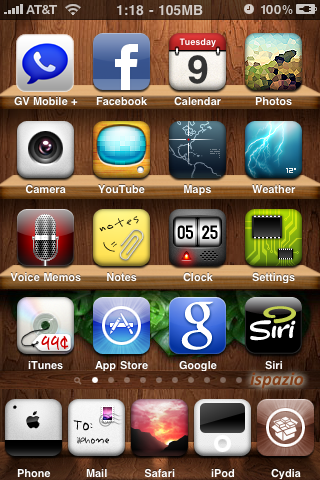
You are now good to go! Post a comment if you are stuck at any of the steps described above.
[Pwnage Tool is developed by the Dev Team. This is just a custom firmware file created using that tool especially for Windows users cos’ Pwnage tool is available only for Macs.]
non activated links seem to be missing. are these on the way?
thanks!
I am updating them as they are uploaded… Its taking time to upload!
I tried to use your custom firmware for Iphone 3gs 3.0 firmware.. An error : 1600 came back from Itunes? Any Ideas… Thanks!!
It is time to try 3.1.2 unless you want tethering, then try 3.0.1!
Please follow the steps towards the end of the post carefully. (Choose DFU (if not jailbroken already) or Restore mode (if jailbroken) ).
woo hoo!
watching this post like a hawk until they are up!
Thanks for the custom IPSW
Just wondering how large is the root partition for this one?
I hope its the default one, like ur previous build.
Thanks again 🙂
Yep. The default partition is like my previous builds. The recommend partition, don't worry!
Yay… thanks….
I hope 3g unactivated is next on the queue :p, gonna download it before goin to sleep 🙂
Yep! Uploading it as we speak! I am remoting into my Mac @ Home! I am at work! Trying to do everything efficiently!
is it 550, 650, 750? iPhone Dev Team have once recommended 1G. can you be specific about the default partition…
700 MB Root Partition.
3gs
Thanks!
You are next on queue! Few more seconds!!
You are next on queue! Few more seconds!!
Update : They are live! Enjoy!
I was hopping you would post one for the 3GS 3.1.x out of the box
You can use the firmware here for an OTB iPhone 3GS. It will jailbreak but not unlock.
thank you for posting these
Downloading 2G Activated… THANKS!!
Welcome! Please post feedback when done! Thank you 🙂
so i have a 2G unlocked and JB firmware 3.0(7A341) modem firmware 04.05.04_G. I just want to make sure if i download the 2G files (activated) above and combine them then restore in itunes. I will still be unlocked right? Im just being extra cautious cuz i skrewed up my 3G a few weeks ago. thanks for your help.
2G iPhones cannot be screwed no matter how hard you try to 😉 cos' the baseband will remain the same. Apple stopped developing the baseband for 2G iPhones! So you should be all set!
thank you for your quick reply and help.
Question. I used the activated 2g one since I am on tmobile. If I instead used the NON activated one, and restored in iTunes with a spare ATT sim I have, would I still have my unlock? I'm thinking of doing it, and letting it activate that way so that I can receive push notifications.
Yep, legit activations will enable Push on 2G devices. But to
activate, they need a contract, not just any other ATT SIM I believe,
but you may try!
What is the difference between using the one with a valid contract and a non-valid? They're both unlocked, correct?
Valid contract means – it activates the iPhone for you and you don't
have to unlock to use it (you can unlock it later though)…
Non-Valid contract – you need to jailbreak it to activate it and you
have to unlock it to make it work…
Since I'm already unlocked, will the Valid one remove that?
Basically, I am unlocked using your "No-Valid" one. I'm wanting to restore with the Valid, use an ATT sim I have (although its not in use, when I put it in my phone and connect to itunes it shows a different phone #) to activate and get Push working. Then maybe unlock somehow. I'm on a 2g.
You can always unlock your 2G iPhone no matter what since the baseband
is unlockable directly, Apple stopped working on it.
For push, simply try reflashing to 3.1.2 and then activate it using
ATT sim and then you may use blackra1n to jailbreak.
question: can I download the one that says, "Official contract" If I have a Valid SIM? and then unlock and use a non-official one?
Yep, you can always do that!
Installed 3.1.2 for 3gs activated works a treat now re-synching all my music apps etc. thanks:)
Yay! Awesome 🙂
Sent from my iPhone
Hey, do push notifications work on this?
Not on 2G, 3G – I have to test cos I don't hacktivate, I have ATT.
I ha ve a question here
I have a new iphone 3gs 3.1.2, and i am not able to unlock it , i can only see the emergency call screen
I used blackra1n to jailbreak, jailbreak was sucessfull but iphone didnt unlocked
Now if i dwnld from will my iphone be unlocked without the at&t official sim and somebody told me that if i use custom firmware my iphone's baseband would change and it wont jailbreak ever, nor it would work with the official sim
Custom firmware is used to preserve baseband. But since you are on 3.1.2 already, you cannot unlock it but can jailbreak using this firmware.
Is there any possible way to unlock to my iphone
Any??
i would be so so so so so so so glad
if u helped me out with this problem
thanks
I don't think so, wait for DEV-TEAM to release some snow that hacks the last BASEBAND.
Hey, I'm getting an error: file is not a compatible firmware file. What is that? Thanks! I'm using 2G Activated…
You have to join both the files and the extension should be .ipsw…
Similar problem – I'm on 2G 2.1 firmware (jailbroken). I put it in restore mode (I see a caricature of Steve Jobs), then when I choose the 179,200 KB file (ipsw) it says it's not compatible.
Awesome posts man your the other person that I can find that is willing to do this. And when I awoke i saw the blog post from the dev team and you were already ahead of the game. Thanks a lot keep it up!
Thanks a lot 🙂 Passion!
Does anyone else have the problem where the rapidshare download is going from like 300kbps to 0 and sitting on 0 for about 20 seconds and downloads just a little bit at a time?
yea, I'm having the same problem, doesn't matter what server i use, it always takes like forever to download from rapidshare 🙁
Premium user or free user?
free user
I have a premium account and it now says 64 days…….
2G Links are not working. Please check
ok got a question…
i currently am using an iphone 3gs on an official carrier (t-mobile netherlands) but i want the unlock option to be available just in case something happens in the near future. that means i should download the activated firmware but would that affect my use of the official carrier now? what should i do?
thanks
You can go ahead and use the NotActivated firmware and then unlock in the future! It should work just fine!
oh so the NotActivated firmware doesn't update the baseband?
The very idea behind custom firmware is to preserve the baseband for unlock! So yeah, it doesn't!
ohh i'm such a noob 😛
thanks so much for the help!
Not a problem! Anytime buddy!
Worked on my Rogers 3gs. Only issue i'm having is that is it's not showing my carrier on the top left corner. It just shows signal strength and 3G.
That is a known bug – ever since 3.0 I guess! We got to live with that!
is the carrier showing with (AT&T)?
worked with my Jailbroken 3.0
Nope. Then it is 3.0.1 and up when this carrier stopped showing! You can use Make it mine app and / or hack the plist file for it to show up but I am happy without the carrier!!
Thank's!
I have iphone 3gs US ATT contract, i will need the phone with other carrier in future travel. I JB and UL using this site previous Custom firmware 3.1 on windows Vista. Which of the above should I download.
ATT and Others or T-Mobile and Other, and what differ between the 2.
Many thanks
Use ATT (NotActivated firmware). You can always unlock it at a later time using ultrasn0w from Cydia!
I have iPhone 3GS with the following serial # MC137LL running 3.1 fw and already Jailbroken and unlocked to be used with my local carrier. now I'm confused which custom IPSW to download? the one in the first link or the second one. Any advice plz.
Well, do you have iPhone contract? If you unlocked it and are using with some other carrier, use the activated firmware.
Thank you for the quick response. I imported my 3GS from the states and I don't have contract. Used redsn0w to unlock it and now I'm using my local carrier. So the activated FW is the choice right?
Yep!
Sent from my iPhone
iPhone 3G 3.1.2 Custom Firmware Activated for Other Carriers
Can't update with iTunes 9.x… Error: Can't restore
Other file IPSW size 175mb? original ~230-250mb
I think you only downloaded part 1, there's 2 parts and you would have to join em using winrar or hjsplit
Yep, hjsplit is a very good open source app for that!
Any mirrors other than rapidshare? Thank you
Nope… Sorry…
Sent from my iPhone
doesn't work on my 3gs, the dev team said that you can use it on software out of the box (Note for 3GS users not already jailbroken and stuck at 3.1.x: this version of PwnageTool has a side feature to jailbreak your 3GS. It uses a simple implementation of the usb control msg hole found by chronicdev, geohot, and our very own gray.), but your custom firmware doesn't work, I know I'm asking A LOT but could you post one that doesn't preserve the baseband for users who had 3.1 out of the box or who updated officially to 3.1.2 because they don't need the unlock? thank you, even if you can't upload that ipsw 😉
Well, these are the only 2 iterations of custom firmware you can find anywhere!
You can use Blackra1n if you want! It is quicker and since you don't care about unlock, it will work for you better!
I created a custom IPSW using Pwnage Tool 3.1.4 for my iPhone 3GS but keep getting error 1600 when trying to restore custom firmware (DFU Mode) in iTunes. 🙁
Try with Restore mode, it should/will work 🙂
im getting exactly the same error, but what is restore mode?
sorry for the stupid question im in restore mode now and it just says preparing iphone for restore for ages
then errors 1604
Disconnect (usb cable) iPhone form pc and then turn it off.
Now, hold the home button on iPhone and then connect it to pc.
dont use dfu mode if u are restoring 3gs reset the phone to recovery mode and use customer files