iPhone 2G, 3G, 3GS users can now safely update to 3.1.2 firmware without updating the baseband (for unlock). If you are not the one to download all the various files and just want the ultimate result, these files are waiting for you to download! If you rather want to start from scratch, download Pwnage 3.1.4 tool for Mac.
- Caution #1 : A restore is going to wipe the iPhone clean. Hence, please backup your iPhone using iTunes and then proceed.
More info about these custom firmware files :
- Has factory boot logos (Apple and restore cable),
- Only Cydia, No Icy
- Preserved Unlock baseband (that is the whole point of a custom firmware, right?!)
- Activated/Not Activated (Check the files carefully)
Prerequisite (recommended) :
If your iPhone is already jailbroken at the current firmware (3.0, 3.0.1, 3.1), it will be a hassle free upgrade! Restore mode will work just fine with already jailbroken iPhones.
p.s : I am paying for these downloads (purchased RapidShare Download traffic due to overwhelming demand). Please consider donating to keep these downloads free and instantaneous. Thank you…
- Download the following files ONLY if you have an Official iPhone contract with your cell carrier (ATT and others….)
- iPhone 3GS 3.1.2 Custom Firmware Not Activated Official Carriers Part 1
- iPhone 3GS 3.1.2 Custom Firmware Not Activated Official Carriers Part 2
OR
- Download the following files ONLY if you don’t have an iPhone contract (T-Mobile and others…)
- iPhone 3GS 3.1.2 Custom Firmware Activated for Other Carriers Part 1
- iPhone 3GS 3.1.2 Custom Firmware Activated for Other Carriers Part 2
- Download the following files ONLY if you have an Official iPhone contract with your cell carrier (ATT and others….)
- iPhone 3G 3.1.2 Custom Firmware Not Activated Official Carriers Part 1
- iPhone 3G 3.1.2 Custom Firmware Not Activated Official Carriers Part 2
OR
- Download the following files ONLY if you don’t have an iPhone contract (T-Mobile and others…)
- iPhone 3G 3.1.2 Custom Firmware Activated for Other Carriers Part 1
- iPhone 3G 3.1.2 Custom Firmware Activated for Other Carriers Part 2
- Download the following files ONLY if you have an Official iPhone contract with your cell carrier (ATT and others….)
- iPhone 2G 3.1.2 Custom Firmware Not Activated Official Carriers Part 1
- iPhone 2G 3.1.2 Custom Firmware Not Activated Official Carriers Part 2
OR
- Download the following files ONLY if you don’t have an iPhone contract (T-Mobile and others…)
- iPhone 2G 3.1.2 Custom Firmware Activated for Other Carriers Part 1
- iPhone 2G 3.1.2 Custom Firmware Activated for Other Carriers Part 2
Step 2) Join the downloaded files
- The files downloaded above have an extension .001 and .002. They need a special opensource (free) software HJSplit to join.
- Download HJSplit to join both the files – Link for Windows Computers here and Macs here.
Step 3) Restore the firmware in iTunes 9.x
- You should now have the respective firmware file with an extension .ipsw (make sure it is .ipsw or else, it will give you an invalid firmware error) . Follow the steps in order :
- 1)Launch iTunes and connect the iPhone to your Mac / Windows computer.
- 2)If your iPhone is already jailbroken (if you see Cydia on your iPhone!), put your device in Restore mode (Turn iPhone off, keep holding Home button while you plug it in to your computer). Proceed to step 7. If not jailbroken already, continue to the next step (3).
- 3)If you are aware of DFU mode, proceed further. If not, watch this quick video and pay close attention to the steps to achieve DFU mode.
- 4)Turn your iPhone off. Press and hold the Home button and the Power button at the same time for 10 seconds.
- 5)After exactly 10 seconds release the Power button. Continue holding the Home button until iTunes pops up a message saying that it has detected an iPhone in recovery mode.
- 6)The iPhone will show you a blank screen (black).
- 7)Click on ‘Ok’ to the prompt displayed.
- 8)For a Mac : Hold Option key and then hit Restore button.
- 9)For Windows : Hold the shift key and then hit the restore button.
- 10)In the dialog box that pops up, browse the downloaded custom firmware file (the .ipsw file that you downloaded and joined using hjsplit in step 1.x).
Step 4) Give it few minutes to perform the restore. Once the iPhone is up and running, proceed for software Unlock using Cydia. Follow this guide to install Ultrasn0w to software unlock your iPhone 3G/3GS. iPhone 2G is already unlocked with this custom firmware!
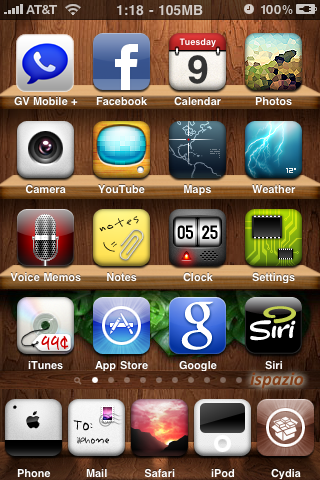
You are now good to go! Post a comment if you are stuck at any of the steps described above.
[Pwnage Tool is developed by the Dev Team. This is just a custom firmware file created using that tool especially for Windows users cos’ Pwnage tool is available only for Macs.]
I used the non activated 3gs firmware & it works but I'm missing the AT&T logo on the top left.
Thanks, worked great on my 3GS. All of my apps from appulous didn't sync at first, then I realised I had to reinstall appsync. Like others I also lost my carrier logo (something to do with the 04.26.08 BB and 3.1 firmware not talking). I simply downloaded MIM (Make It Mine) from Cydia and set it back to O2-UK. Cheers
Hey Richard, Could you able to unlock it ? I had same configuration as you have . 3GS with 3.1
I am looking for unlock.. Thanks
Will this fix the MMS I lost when upgrading to3.1? I wish I stayed on 3.0
FML
I don't see any reason why MMS shouldn't work with 3.1? It is just that tethering (ATT) won't work with 3.1 or up (for now)…
Worked like a charm thanks. Hope the logo gets fixed in the future.
Use Make it mine app from Cydia as others suggested!
Awesome, it worked Flawlessly!.
I was a bit worried, since it gave me this weird "error code 13" but, I did it again, paying attention to what I was doing, and it was done in no time.
Thanks!
Kudos buddy! Fabulous job!
Will this fix the MMS I lost when upgrading to3.1? I wish I stayed on 3.0
Hi Guys, I am downloading these custom firmwares now for my 3GS. 3.1 (7C144). baseband already shows 05.11.07. Does this mean I can use this firmware or no? I read elsewhere 05.11.07 will not work. Is that true? Thanks a lot
Well, you can jailbreak but ultrasn0w won't work for now.
hi if you find any soln pls suggest me I do have same baseband and 3Gs 3.1 !
my email is bankim.soni@gmail.com , pls reply me if possible
Okay i have another question
I have an iphone 3gs 3.1.2 and if i use these custom firmware will i be able to use non-official sim on my iphone
It depends on the baseband. If it is 5.11.xx then no, you can just jailbreak but no unlock for now.
Thank you so much for the custom firmwares, it worked
any idea when will unlock come for baseband 5.11.07
I have a iphone2g on 3.1.2. I JB'd yesterday with blackra1n. When I try the restore in itunes I get the error 'the iphone "iphone" could not be restored'. Anyone know why?
Please Help. I’m getting an error: file is not a compatible firmware file. What is that? I’m using 3GS 3.1 JB. Thanks!
The reason I ask (and apologize for posting a link from another site) is because this is what I am experiencing.
http://www.cultofmac.com/tethering-mms-hack-broke…
iPhone 2G on T-Mobile UL and JB running OS 3.1 via Pwnage 3.1.3
I had MMS on the 3.0 update as well as tethering and have seem to lost them both. Was thinking about replacing the carrier files that I had added when I updatd when going to 3.0 but I dont want to mess anything up. Please advise.
Tethering (AT&T) won't work with 3.1.2 no matter what. It works only with 3.0.1..
Thank you. I can actually go without that since I only used it a few times but my main concern is getting my MMS back. 🙁 Im stuck emailing pics now, lol.
MMS works without hacks now with 3.1.2. I think tethering does as well so I have been told. Option in settings…
Thank you for the reply. I tried this with a few custom firmwares for the 2g iphone and everyone gives me the firmware is not compatible error. :s
Where did you download the custom firmware from? If here – which one gave you the error? Did you put it in DFU mode or restore mode?
I downloaded the 2g Custom Firmware Activated for Other Carriers from here. Tried in DFU and restore mode.
Try the restore mode instead, it will work.
Nope, still not working. I'm starting to think the phone has been blocked by the network. Can this be the problem?
Nope. If it is a stolen phone and IMEI is blocked, that is a different story.
Did you try restoring to stock firmware and then jailbreaking it?
Yeah i tried it that way aswell hehe. Tried to JB again with blackra1n but its not having it. I am doomed with this phone that refuses to obey lol.
Yeah tell me about. Everyone seems to get a good JB except me :s The error is:
The iphone "iphone" could not be restored because the firmware file is not compatible.
I'm using the latest itunes if that makes a difference.
Worked GREAT on my 3gs….T-mobile. Thanx Soooooo Much!!!
You are welcome! Fantastic job!!
Anytime buddy (work hours generally ;)!)
worked flawlesly, one more Question, does the 2G not support Bluetooth Headsets for use with the ipod part of the iphone? I know it works for phone calls. If not are there any 3rd party software that can enable this? thanks again.
iPhone 2G doesn't support A2DP (bluetooth audio)… Not sure about 3rd party software. Search in Cydia…
Yeah, MMS is official. Tethering though (ATT) works only on firmware 3.0.X (atleast for now)…
Sorry if this seems lame…but lets say I used Pwnage 3.1.3 last week (on a Mac obviously) to get to 3.1 and I want to use this to get to 3.1.2 and I am currently at work on a PC. Will I encounter any problems or have any trouble?
Nope! All you have to do is get your iPhone in Restore mode and restore to the firmware here! Simple!
What if I tried installing a MMS repo and it caused my phone to stay on the boot screen but i was able to get it into restore mode, will this get me out of my jam and onto 3.1.2? Sorry for all the questions. Worried that I messed my phone up! 🙁 Thank you.
Thank you, I am currently downloading the files and will follow the step by step instructions and let you know how it turns out. I appreciate all of your help and the quick replies. 🙂 Always makes the situation less stressful dealing with iPhones when someone can reply right away. 😉
Yep! Definitely! The more number of people I help, the happier I am!! Good luck and keep me posted!
I received error 1601 when trying to restore 🙁
Did you try DFU mode or Restore mode? I would suggest you try the other one which you didn't try… It will work 🙂
I must have been in DFU mode. Saw the cartoon of Steve Jobs come up, knew it was recovery mode finally and am updating as we speak. Hopefully it all goes accordingly.
***Future reference for everyone***
Do NOT install an unknown repo! You will be stressing, sweating and driving yourself mad!
It works! Up and running and happy as can be! Thank you so much! You guys rock! 🙂
Fantabulous! Enjoy!
Sent from my iPhone
pleace help give me appl for unlock iphone 3g 3.1 7c144
Hey, I got iphone 3gs v3.1.2 Modem Firmware 05.11.07, can i still use the custom firmware for 3gs. I can't jailbreak with Blackra1n for some reason, the phone wont start up after it go to reboot mode.
I have a new 3gs ATT with fw 3.1.2 and baseband 5.11.07 using winXP and when I try to jailbreak it keeps giving me error 1601 I uninstalled and reinstalled I-TunesI confirmed I downloaded the correct (non-activated) firmware and joined them and have the .ipsw extension, any other ideas?
Did you try the DFU mode or Restore mode? Try the one you didn't already. Hope it works for you.
I have the Iphone 3gs Which Was locked and I unlocked it Via Ultrasnow. So now my Carrier is working on this. Right now am not 3.1
So kindly Let me know which links i have to Download.
Download the non-activated link. I downloaded this yesterday and joined with hjsplit, Worked like a charm now on 3gs 3.1.2 t-mobile mms and t-zones working perfectly.
Awesome 🙂 Enjoy your 3GS!
Download the non-activated link. I downloaded this yesterday and joined with hjsplit, Worked like a charm now on 3gs 3.1.2 t-mobile mms and t-zones working perfectly. And I actually had to put it in restore mode not dfu.
Are you sure this will unlock my carrier. and what does mean activated and Non Activated. Plz Help me.
Yes this is exactly what your looking for I was on 3.0 jb on t-mobile so luckily I never updated and I preserved my baseband. I downloaded the http://rapidshare.com/files/292440737/iPhone2_1_3… and http://rapidshare.com/files/292464295/iPhone2_1_3… it worked like a charm. This is Exactly what u need.
in last reply u told me to download non acivated. And in this replu you given in activated link
Its the activated link. Sorry I typed it wrong the activated link for non-activated phones. i.e. T-mobile…..
Yeah, DFU is for non-jailbroken iPhones. Restore is for already jailbroken iPhones!